TheThinkPDFEvery PDF job, done in one clear workspace

Edit, convert, merge, sign and lock your documents in the browser. No software to install, on any device.

Your next PDF starts here Subscribe once and every tool opens in the same place. Get started
Inside the workspace

See the tools before you open them

Four views you will use most, each one working on the same file without exporting it in between.

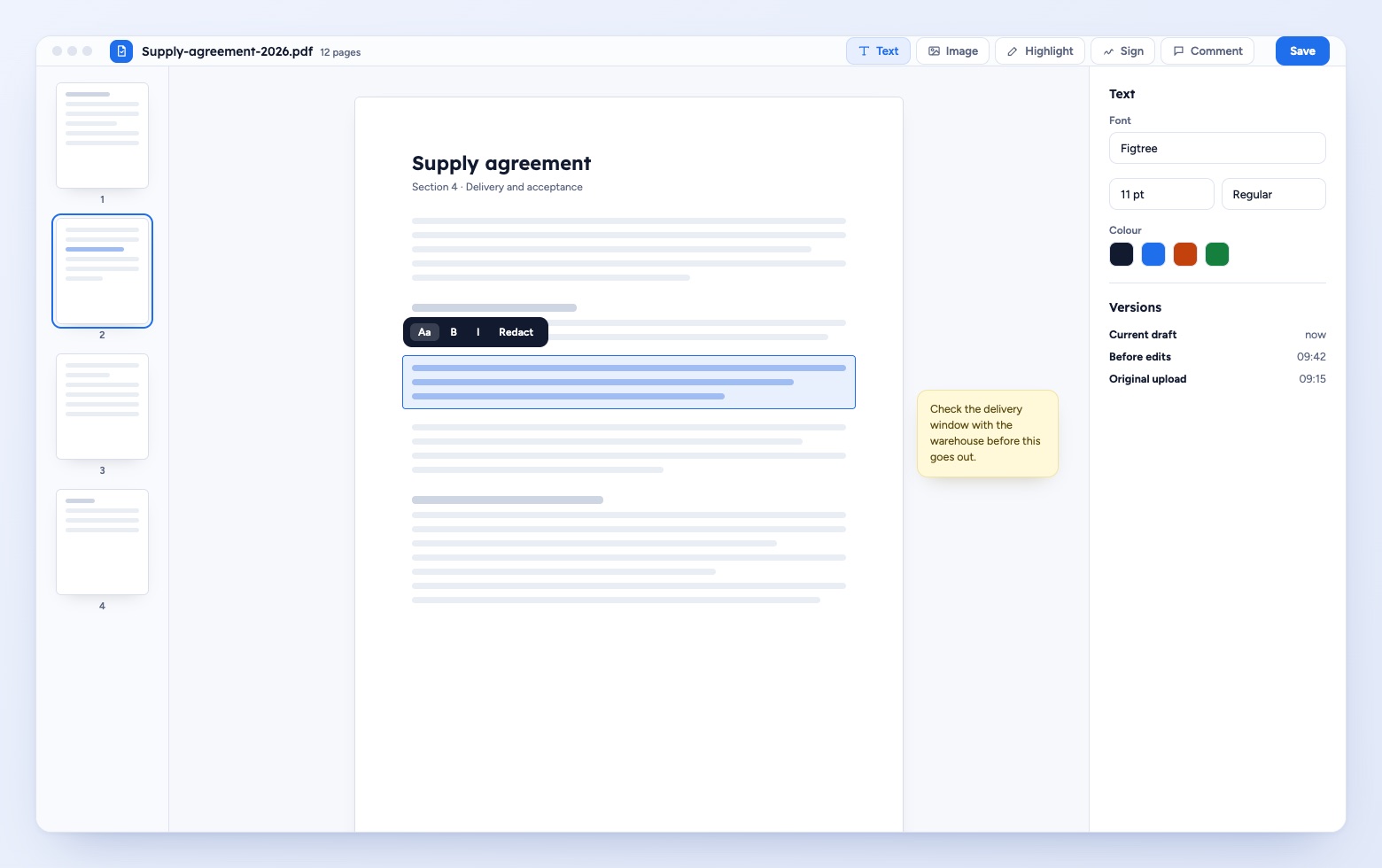
The PDF editor with a page thumbnail rail, a selected paragraph with a formatting toolbar, a margin note and a panel of text settings.

Edit the page itself

Select a paragraph, correct it, redact a name or leave a note in the margin. Earlier versions stay one click away.
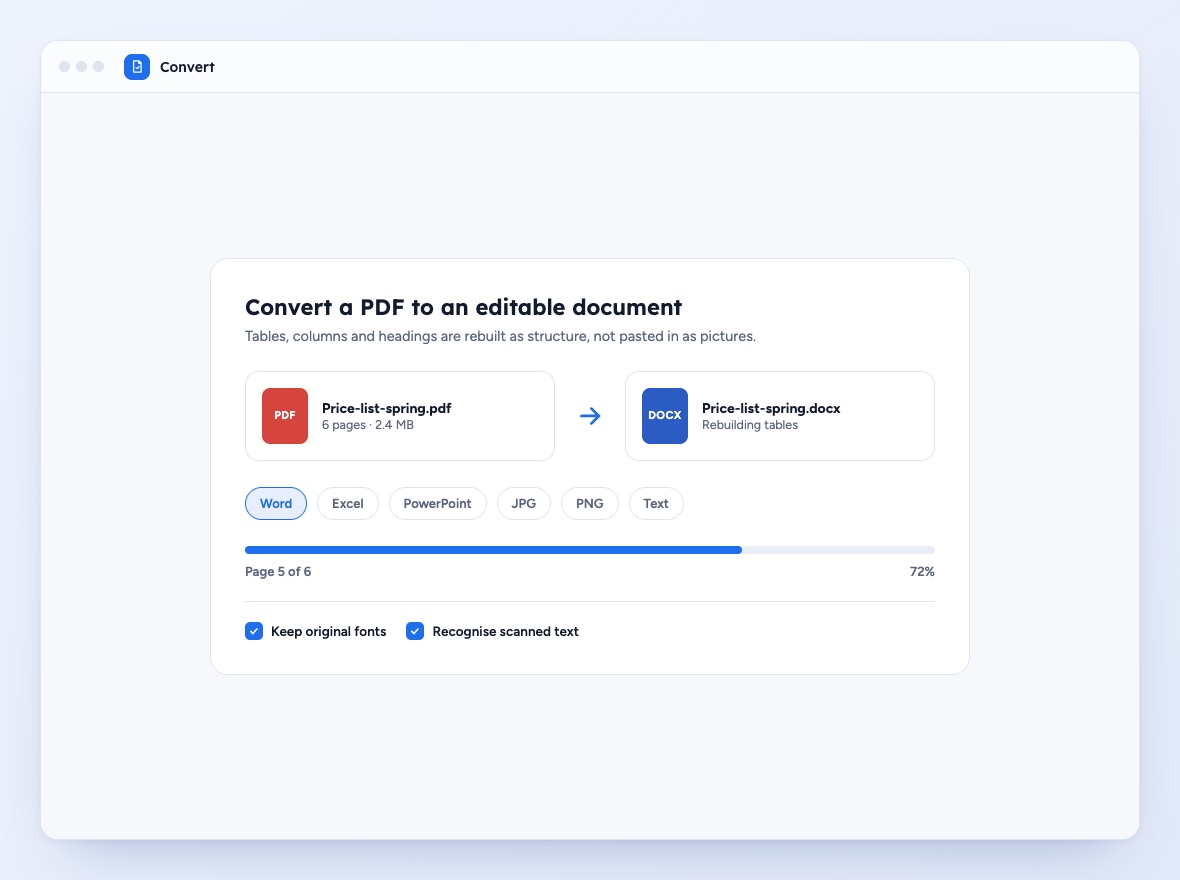
A conversion screen turning a PDF price list into a Word document, with format options and a progress bar.

Convert without losing the layout

Turn a PDF into Word, Excel, PowerPoint or an image, with tables and headings rebuilt as structure.
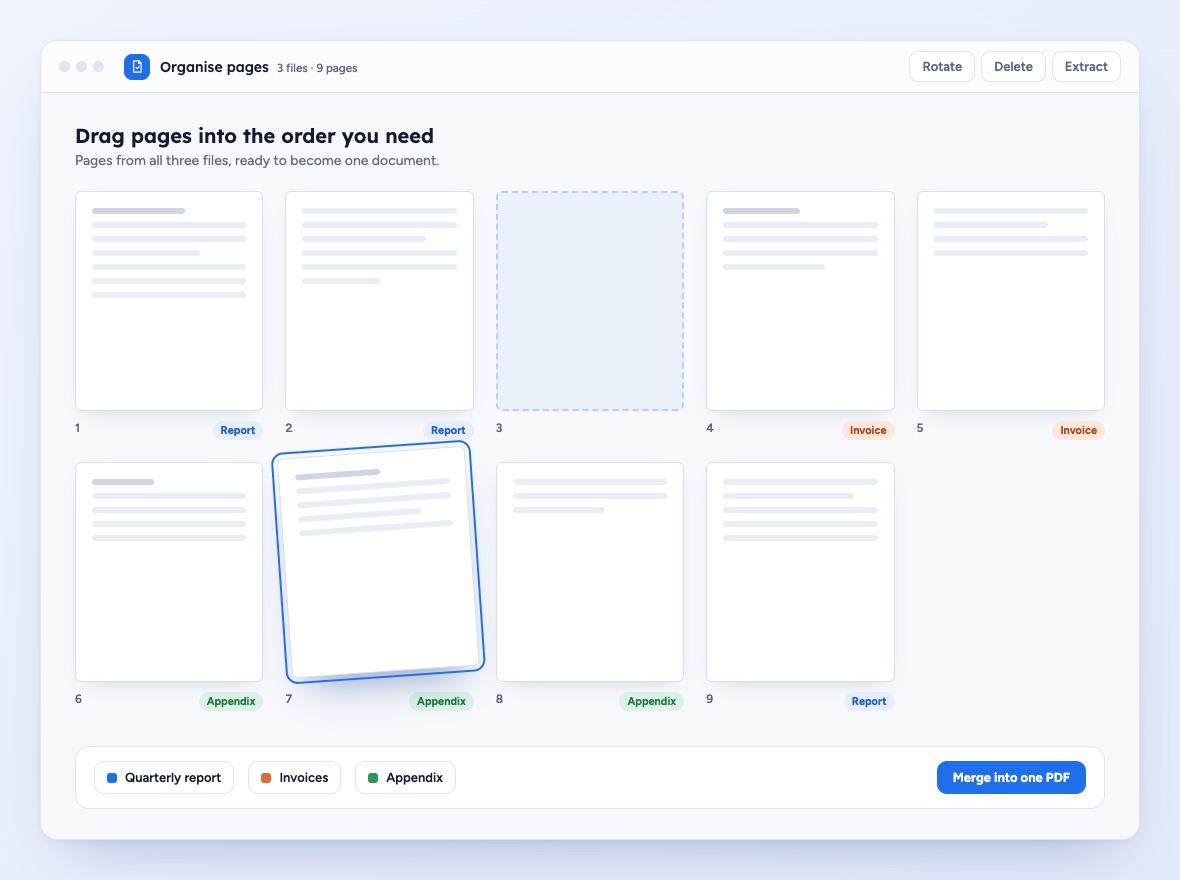
A page organiser showing nine page thumbnails from three files, one page being dragged into an empty slot, and a merge button.

Put pages in order

Drag pages from several files into one sequence, then merge them into a single document.
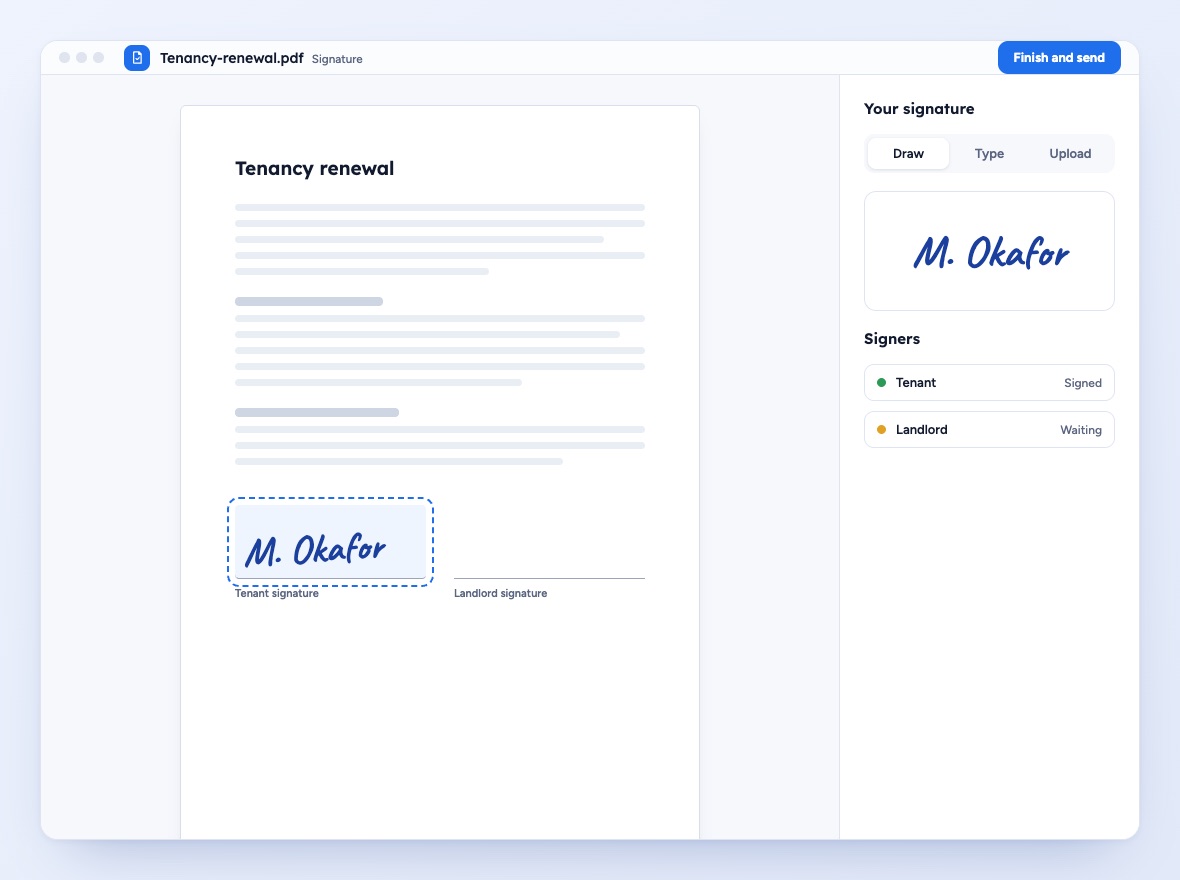
A tenancy renewal document with a drawn signature in the tenant field and a side panel listing which signers are done.

Sign and send

Draw, type or upload a signature, place it on the right line and see who still has to sign.

Why people keep TheThinkPDF open

Document work is rarely a single task. It is a short chain of small jobs, and that chain is where most tools let you down.

  • The whole chain in one place

    Convert, edit, merge and sign without moving the file between separate services.

  • Layouts that survive

    Columns, tables, headers and fonts are rebuilt as structure, not flattened into a picture.

  • Nothing to install

    It runs in the browser you already use, so a borrowed laptop works as well as your own.

  • Comfortable with long files

    Reports and contracts with many pages stay responsive, and page actions apply to a whole range at once.

  • Careful with your documents

    Uploads are encrypted in transit and you can delete any file from the workspace whenever you choose.

  • One plan, every tool

    The subscription opens the full toolset. No per-document charges and no tools held back for later.

The tools you actually reach for

Every TheThinkPDF subscription includes all of them from the first day.

Edit text and images

Change a clause, swap a logo, fix a figure or fill a form field directly on the page, without rebuilding the document elsewhere.

Convert both ways

Move between PDF and Word, Excel, PowerPoint, JPG or PNG in either direction.

Sign documents

Add your own signature, or send a file to someone else to complete their part.

Merge, split and compress

Combine several files into one, cut a long document into sections, or shrink a heavy file until it is small enough to send by email.

Lock and unlock

Protect a file with a password, then remove it again from files you own.

Recognise scanned text

Turn a scan or a photo of a page into text you can search, select and copy, so paper records become as useful as digital ones.

Everything on the shelf

A quick look at what opens when you subscribe.

Edit PDF Merge PDF Split PDF Compress PDF to Word JPG to PDF Create PDF Sign PDF Lock PDF Unlock PDF Rotate Crop Text recognition

TheThinkPDF FAQs

Have questions about TheThinkPDF? Our comprehensive FAQ section provides answers to help you maximize your immersive experience.

Still have a question?

Our customer care team reads every message and replies by email.

Contact
What do I receive with my TheThinkPDF subscription?
With your TheThinkPDF subscription, you gain unrestricted access to a vast array of TheThinkPDF content, exclusive experiences, personalized recommendations, and regular updates that ensure a continuously engaging and dynamic journey.
How did I get subscribed to TheThinkPDF?
You subscribed to TheThinkPDF by following our streamlined subscription process, either through your mobile device or via our secure website. Once completed, your account is immediately activated for full access to all immersive features.
Is there a charge for using TheThinkPDF?
These subscriptions grant you unlimited access to all our TheThinkPDF content and premium features during the active subscription period. Yes, TheThinkPDF operates a subscription model (Pricing: € 49.99 days), please refer to our relevant pricing information.
What platforms does TheThinkPDF support?
TheThinkPDF is accessible on a wide range of platforms, including smartphones, tablets, and compatible PCs. This ensures that you can enjoy your favorite immersive experiences whenever and wherever you choose.
How do I reach customer support?
Our dedicated customer support team is available to assist you. You can reach us through the 'Contact' page on the TheThinkPDF platform or email us at help@thethinkpdf.com
How do I cancel my TheThinkPDF subscription?
To cancel your subscription, email our customer care team at help@thethinkpdf.com.

Open your next document in a clearer workspace

One subscription, every PDF tool, on every device you sign in from.

Get started